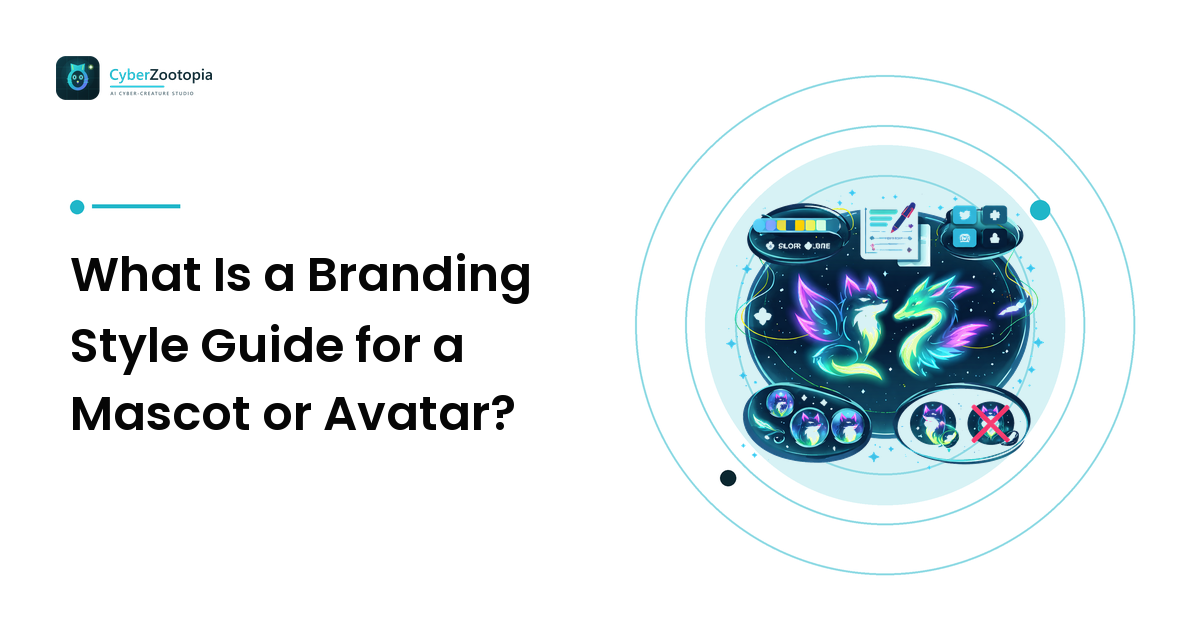
A branding style guide is a short reference document that locks down how your character is allowed to look — its canonical design, exact colors, art style, per-platform sizes, and the rules for what nobody should do to it. For creators, it is the single file that keeps a mascot recognizable across Discord, Twitch, stickers, and merch.
That is the whole answer. The rest of this guide is the how: what goes in each section, and how to build one in an afternoon without a design degree or an agency retainer.
Why Does a Character Need a Style Guide at All?
Recognition is built by repetition, and repetition requires a source of truth. Without one, drift happens quietly: an emote where the teal came out a little greener, a banner where a friend gave the fox rounder ears. Nobody notices any single change; everyone notices that the brand feels fuzzy.
A style guide stops that three ways: it fixes the decisions so you are not re-deciding the palette every time you open a canvas; it transfers them to anyone else who touches your art — a mod making a banner, a print vendor, an artist doing one extra pose; and it speeds you up, because the next asset starts with the boring questions answered.
If you have not settled on the character yet, work through the design basics from ideas to products first — a style guide documents a finished design, it does not substitute for making one.
What Goes Inside a Branding Style Guide?
Six sections cover what a creator-scale brand needs.
| Section | What it locks down | Why it matters |
|---|---|---|
| Character sheet | Canonical front view, side view, head close-up | The reference every future asset is checked against |
| Palette | Named colors with hex values and where each is used | Color drift is the fastest way to look inconsistent |
| Style rules | Line weight, shading, glow behavior, level of detail | Keeps a new pose feeling like the same universe |
| Sizes and crops | Export sizes and safe crops per platform | Stops good art from dying at 40 pixels |
| Usage do's and don'ts | Approved backgrounds, spacing, off-limits edits | Protects the design from well-meaning helpers |
| Rights and labeling | How the art was made, what licence covers it | Keeps merch and platform uploads above board |
Aim for a handful of pages, not a corporate binder — a one-page board plus notes beats a document nobody opens.
How Do You Build the Character Sheet?
The character sheet is the anchor — the page everything else defers to. Include three views on a plain background: a front-facing full body, a three-quarter or side view, and a head-and-shoulders close-up at the crop you actually use as an avatar.
Then annotate the parts that are non-negotiable. Write down the identifying features — the three tail stripes, the notched left ear, the cyan chest marking, the eye shape — and mark them as fixed. Everything unlabeled is fair game to vary between poses. That distinction is what lets a character have range without losing identity.
Add a name and a one-line personality ("Volt — a clever, nocturnal neon fox, permanently unimpressed"). That line is how anyone decides whether a new pose feels right; our mascot design guide covers building it from scratch. Finally, plan a starter set of expressions — neutral, celebrating, disappointed, thinking, waving — so your emote sheet and your announcement art agree with each other.
How Do You Lock a Palette?
Pick three to five colors and write down their hex values. The discipline is in the restraint, not the technique. A workable structure for a neon creature identity: one dominant color that carries the body and eventually gets called "your" color, one accent for glow, eyes, and focal details, and one or two neutrals.
Specify two things beyond the values. First, where each color is allowed to go: an accent that migrates onto large background areas stops being an accent. Second, how the palette behaves on light backgrounds — Discord and Twitch are dark-mode worlds by default; merch and light-theme clients are not. Note a light-background variant, often just a subtle outline, so your character never dissolves into a white page.
Still choosing the visual language the palette sits inside? The neon creature styles explainer breaks down what synthwave, holographic, chrome, pixel, and low-poly each do to a palette's mood.
What Size and Crop Specs Should You Include?
List the real surfaces your character has to survive, with a target export for each:
- Avatar / server icon — square at 512px or larger, designed to still read when a platform shrinks it to roughly 40px and crops it to a circle.
- Emotes — bold, simplified expressions that hold up at chat size; keep detail minimal, because most of it disappears.
- Stickers — full poses on transparent backgrounds, a few hundred pixels square.
- Banners and panels — wide crops where the full body finally gets room.
- Merch masters — the largest clean version you have, with a transparent background.
Platforms adjust their upload requirements periodically, so check each platform's help documentation before a big upload. The design rules are stable; the file limits are not.
The critical entry is the safe crop: the head-and-shoulders framing you use for avatars, marked directly on the character sheet. Circle crops eat corners, and status badges cover the lower-right of a Discord avatar. Deciding that crop once is the difference between an avatar that reads and one that shows half a face — the avatar design guide covers the readability rules behind it.
What Should the Usage Rules Say?
This is the section that protects the design from enthusiasm. Keep it short and specific:
Do: use the approved character sheet as the source for new art; keep the locked colors exact; leave clear space around the character on banners; use the transparent-background master for merch.
Don't: recolor for a one-off post; stretch or squash to fit a frame; add heavy filters that shift the palette; place the character on a busy background that eats its silhouette; crop below the safe framing.
If other people help run your community, this is the page you send them — a mod who has seen your don'ts list will ask before tinting your fox purple for a themed event, and then you can say yes deliberately, as a seasonal variant. Coordinating those rules across overlays, panels, and emotes is the problem the streaming identity guide tackles at channel scale.
What About Rights, Licensing, and AI Labeling?
Record how the character was made and what you are permitted to do with it. If you commissioned it, note what the contract granted — commercial use and merch rights are frequently separate from the right to use the art as an avatar, and plenty of creators find the gap only at merch time. If the art is AI-generated, note that plainly and record which tool produced it.
Commercial-use rights for AI-generated images vary by tool, by plan, and over time, and platform policies on AI content vary too. Read the current licence terms of the tool you used and the guidelines of the platform you upload to before putting a character on paid merch, and write your conclusion in the guide with the date you checked it.
Two rules do not change. Keep the character original — not an existing brand's mascot, not a recolor of someone else's character, and never a real person's likeness. And label AI-generated art honestly where platforms expect disclosure. Both protect the same thing: a character you can keep using.
FAQ
What is a branding style guide? A short reference document defining how a brand and its character are allowed to look — canonical design, exact colors, art style, sizes and crops per platform, usage do's and don'ts, and notes on rights and labeling. Its job is to make every future asset consistent with the ones before it.
How long should a creator's style guide be? A few pages: character views, palette and style rules, sizes and usage rules, and a short rights note. Length is not the point — being consulted is.
What's the difference between a character sheet and a style guide? A character sheet is the visual reference for the character itself: canonical views, key features, expressions. A style guide contains the character sheet plus the surrounding rules — palette values, export sizes, usage restrictions, and rights notes.
Can I make a style guide for an AI-generated mascot? Yes, and it is arguably more useful there. Generation makes near-variants easy to produce, so a locked reference — fixed hex values, marked identifying features, an approved character sheet — is what keeps every new pose recognizably the same creature. Note that the art is AI-generated and check your tool's current licence terms for commercial use.
Do I need a style guide if it's just me? Yes — the person most likely to break your consistency is future you, six months from now, with a different reference open. Writing down three hex values and a safe crop takes twenty minutes.
A style guide is only as good as the character at its center. If summoning an original neon creature sounds better than starting from a blank canvas, see what Cyber Zootopia is building: an AI avatar and mascot maker for glowing foxes, dragons, and axolotls.