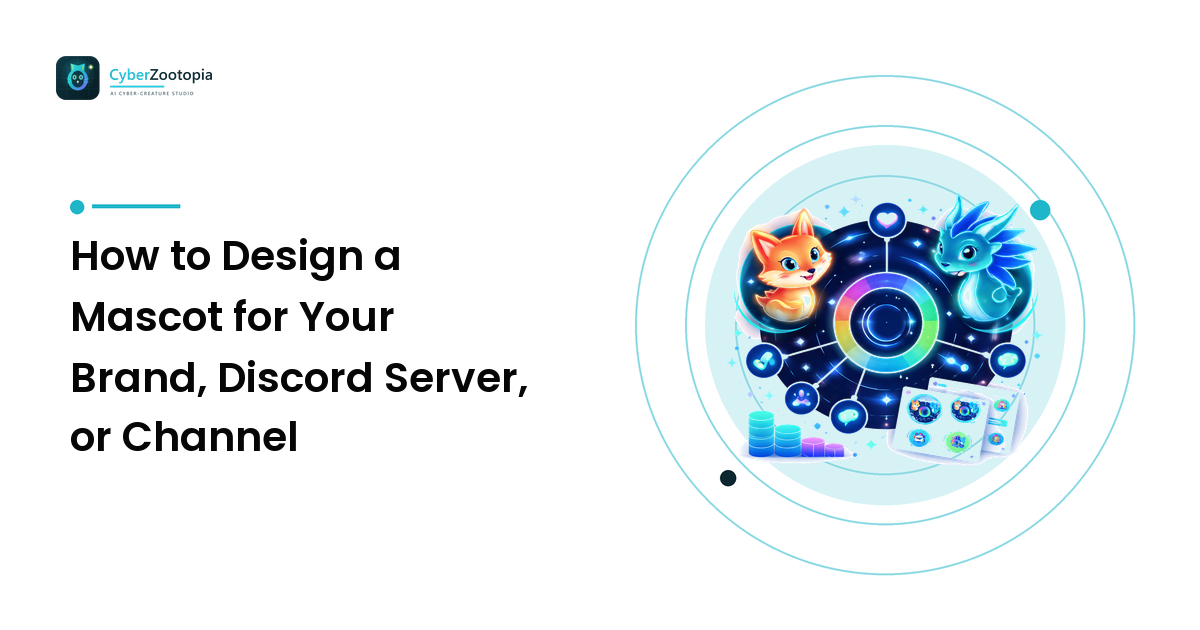
A logo is something people recognize. A mascot is someone people greet. Servers with a beloved mascot don't just have branding — they have a character members put in memes, demand as emotes, and treat like a tiny staff member. That's the power you're designing for, and it's available to a three-person Discord server just as much as a cereal company. The takeaway up front: a mascot is personality made visible — so design the personality first and the creature second. Get that order right and every later decision (species, style, palette, poses) practically makes itself.
This guide walks the whole path: what a mascot actually does, how it differs from a logo and an avatar, a five-step design process, the originality rules that keep you out of trouble, and how to roll your new creature out across everything you run.
What a Mascot Does That a Logo Can't
A faceless brand can be respected; a character gets loved. Mascots work because humans are wired to bond with faces and personalities, not typography:
- Emotional range. A logo has one expression forever. A mascot can celebrate a sub goal, sulk during downtime, facepalm at bugs, and wave hello in the welcome channel — one character, infinite moments.
- A voice for announcements. "The server rules" is a wall of text. Your axolotl mascot presenting the rules is content people actually read.
- Community glue. Members adopt a mascot as shared property. They meme it, draw it, and reference it — every instance is free reinforcement of your identity.
- Infinite merchandising. One good character becomes emotes, stickers, badges, banners, and physical merch without ever feeling repetitive.
Mascot vs. Logo vs. Avatar — Which Do You Need?
These three get conflated constantly, so here's the clean split:
- Logo: a fixed symbol for formal surfaces — banners, thumbnails, watermarks. Optimized for consistency, not emotion.
- Avatar: the picture that represents you in chats and profiles, optimized to read at 40–80 pixels (our avatar design guide covers that craft in detail).
- Mascot: a full character with a name and a personality that represents your community or brand, appearing in many poses and expressions across many surfaces.
They cooperate rather than compete. Plenty of creators use their mascot's face, tightly cropped, as their avatar — and a simplified mascot head can serve as a logo. If you only have energy for one asset, a well-designed mascot is the one that can stretch to cover the other two jobs.
Step 1: Define the Personality (Three Words, Written Down)
Before any visual decision, write down three adjectives that describe your community's energy — not the mascot's, the community's. A cozy art server might be "warm, encouraging, a little chaotic." A competitive gaming Discord might be "sharp, funny, relentless." A dev-tools brand might be "clever, helpful, unflappable."
These three words are your design compass. Every choice from here — species, colors, expression, even how round or angular the shapes are — gets checked against them. Round shapes and big eyes read friendly; sharp angles and narrow eyes read fierce; drooping ears read gentle. If a decision contradicts your three words, it's wrong no matter how cool it looks.
Step 2: Pick a Species That Matches
Species is shorthand personality — people bring instant associations to animals, and a smart pairing means your mascot communicates before it says a word:
- Fox: clever, quick, a bit mischievous. Great for witty communities and sharp-tongued streamers.
- Dragon: bold, powerful, a little dramatic. Fits competitive, ambitious, epic-flavored brands.
- Owl: wise, calm, watchful. Natural for learning communities, dev servers, and helpful tools.
- Axolotl: friendly, quirky, impossible to dislike. Perfect for cozy, welcoming, slightly silly spaces.
- Cat: independent, unbothered, effortlessly cool. Suits creative communities with attitude.
- Wolf: loyal, pack-minded, intense. A fit for tight-knit teams and squad-based gaming.
Two tips. First, consider the unexpected pick: fifty gaming servers have a wolf; the one with a neon axolotl is the one people remember. Second, check the silhouette — whatever you pick will eventually be a 40-pixel server icon, and species with distinctive outlines (fox ears, dragon horns, axolotl gills) survive that shrink far better than generic round-headed critters.
Step 3: Choose a Style and Palette
Style sets the emotional temperature of the whole identity:
- Soft, rounded, cel-shaded — approachable and cozy; the default for community-first spaces.
- Neon/synthwave — energetic and nocturnal; glowing outlines against dark backgrounds photograph beautifully in dark-mode Discord and on stream overlays.
- Pixel art — playful and game-native, with built-in small-size readability.
- Low-poly — modern and techy, with strong geometric silhouettes.
- Chrome/holographic — sleek and futuristic, for brands that want polish over coziness.
For the palette, pick one dominant color that becomes "yours," one accent for glow and focal points, and keep the rest quiet. Check it against dark backgrounds first — that's where Discord communities actually live. And whatever you choose, freeze it: the mascot's colors should be identical in every appearance, because color consistency is half of how recognition forms.
Step 4: Design for the Places It Will Live
A mascot isn't one image; it's a character that must perform across wildly different canvases. Before finalizing a design, audit your real surfaces:
- Server icon / avatar: 40–128px, circle-cropped — needs a strong head-and-shoulders crop.
- Emotes: readable at 28px in a fast-moving chat — needs bold expressions and minimal detail.
- Stickers: roughly 320px, full poses with transparent backgrounds.
- Banners and welcome screens: wide formats where the full body and scene finally get room.
- Merch: stickers, mugs, tees — where clean linework and high-res masters pay off.
A design dripping with fine detail will die at emote size; a design that's only a simple head will feel thin on a banner. The sweet spot is a character with a bold, simple core — strong silhouette, clear face, two-to-three colors — that can carry extra detail when the canvas allows. Our streaming identity guide covers coordinating all these surfaces into one coherent channel look.
Step 5: Give It Range — Expressions and Poses
Recognition comes from repetition with variety: the same character in different moments. Plan a starter set — a neutral/happy default, a celebration pose, a sad or disappointed reaction, a "hmm" thinking face, and a wave or greeting. That handful covers announcements, reactions, welcomes, and emotes, and it's exactly the kind of variation-set work where AI generation shines: lock the character's look, then explore poses and expressions quickly instead of redrawing from scratch each time.
Give it a name while you're at it. A named mascot ("Volt says the event starts at 8!") becomes a personality; an unnamed one stays a decoration.
Keep It Original — Seriously
The rules here are short and worth following to the letter:
- No borrowed IP. Your mascot can't be an existing character, a palette-swap of one, or "basically Pikachu but teal." Beyond the legal risk (DMCA takedowns reach Discord servers and merch printers alike), a borrowed character can never truly be yours — someone else's brand is doing the talking.
- No real people. A mascot is a character, never a real person's likeness.
- Original by construction beats original by accident. Combine a species, a personality, a palette, and a style that are yours, and originality happens naturally — a lime-eyed synthwave owl librarian isn't lurking in anyone's trademark portfolio.
- Label AI-generated art honestly. If you generated your mascot, say so when asked and disclose where platforms expect it. It costs nothing, keeps you within platform rules, and communities respect the transparency far more than they'd respect the pretense.
Original characters are also simply better business: you can put them on emotes, banners, and mugs, license them, and build for years without a cease-and-desist deciding your rebrand date.
Rolling It Out
Launch the mascot like a character introduction, not a file update. Announce it with a name and a one-line personality ("meet Volt, our resident neon fox — clever, nocturnal, allergic to spoilers"). Ship the server icon, a first emote batch, and a welcome-channel appearance together so the character arrives everywhere at once. Then keep it in the life of the community: event announcements, seasonal variants, milestone celebrations. A mascot that shows up weekly becomes an institution; one that appears once becomes a trivia answer.
FAQ
What's the difference between a mascot and a logo? A logo is a fixed symbol optimized for consistent recognition; a mascot is a character with a name, personality, and range of expressions. Logos identify — mascots communicate and bond. Many brands use both, often deriving a simplified logo from the mascot's head.
What animal makes the best mascot? The one whose personality associations match your community's energy: foxes read clever, dragons bold, owls wise, axolotls friendly and quirky, cats independent. Favor species with distinctive silhouettes (ears, horns, gills) so the mascot stays recognizable at server-icon and emote sizes.
Can I use an AI-generated mascot for my Discord server or brand? Yes — generate an original character (never existing IP or a real person's likeness), keep its design consistent across uses, and be honest that it's AI-generated where disclosure is expected. Original AI-generated characters are yours to use across icons, emotes, and merch.
How much does a mascot cost? A commissioned character design typically runs from tens to hundreds of dollars, plus more for each expression sheet, emote set, and revision round. Drawing your own costs time and skill. AI generation is the budget-and-speed option: original creature designs and variation sets in minutes, at a fraction of commission pricing.
Your community deserves more than a logo — it deserves a face members actually greet. If summoning one sounds better than drawing one, see what Cyber Zootopia is building: an AI avatar and mascot maker for creating your own original neon creature — glowing foxes, dragons, axolotls, and whatever your three words turn out to be.