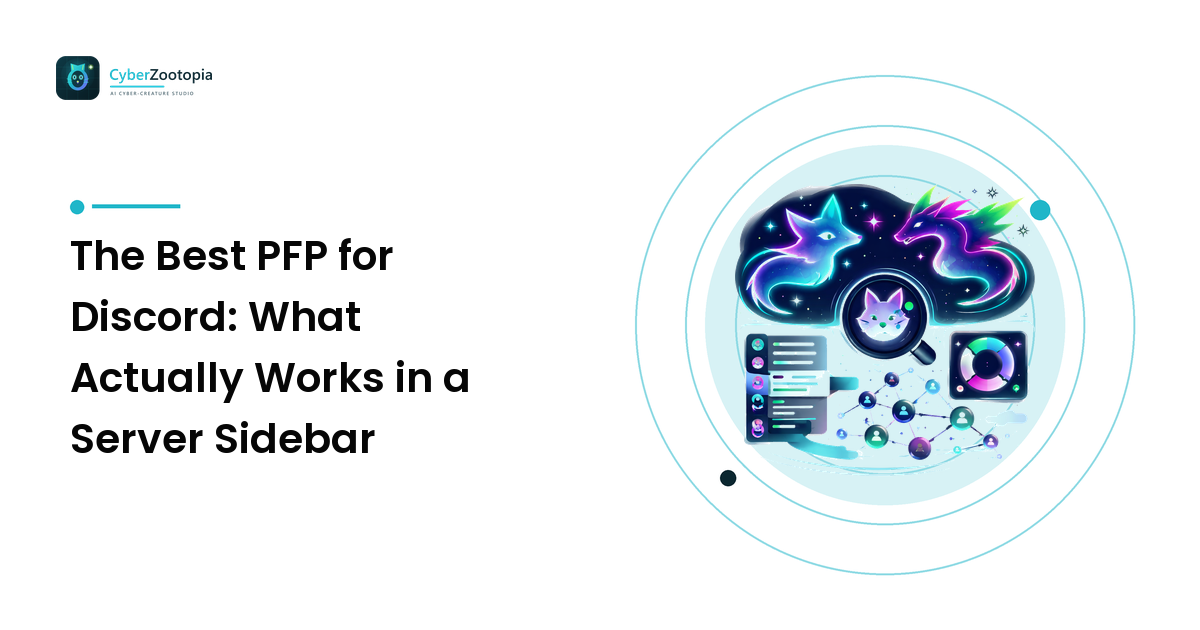
The best PFP for Discord is a tightly cropped, high-contrast character face — usually an animal or creature — that survives a circular crop at roughly 40 to 80 pixels. Discord shows your avatar smaller than almost any other platform, so silhouette and contrast beat detail every single time. Upload a square image at 512×512 or larger and crop in close.
That is the whole answer. The rest of this guide is the why — the specific places Discord renders your avatar, the two things that quietly destroy good art in that circle, and how to actually get a character worth uploading.
Where Does Your Discord PFP Actually Appear?
Before you pick anything, look at where the image lives. Discord is unusually brutal about this, because your avatar appears many times per screen at very small sizes:
- Next to every message in a chat channel — around 40px, circular
- In the member list on the right — roughly 32–40px, circular
- In the server sidebar and DM list — small circles, stacked vertically
- On your profile card when someone clicks you — larger, but still round
- In voice channels, as a circle that pulses when you speak
Notice what is missing: any surface where a detailed full-body illustration gets to breathe. The version of your PFP that people actually see hundreds of times a day is the 40-pixel one beside your messages. Design for that, and the big version takes care of itself.
Discord accepts square uploads and crops them to a circle. Upload at 512×512 or larger so the image stays crisp on high-density displays, keep it under the platform's file size limit (animated GIF avatars are a paid-subscription perk, and the limit is lower than people expect), and check the current requirements in Discord's own help pages, since they change more often than design rules do.
What Makes a PFP Read Well at 40 Pixels?
Three things, in order of importance.
Silhouette. Squint until your avatar is a shape. Fox ears, dragon horns, axolotl frills, a chunky headphone band — these punch out of a circle and get recognized before anyone processes a single detail. Round blobs do not. This is the honest reason creature avatars dominate Discord: they hand you a distinctive outline for free.
Contrast. Your character has to separate from its background, and its face has to have a focal point. A glowing teal creature on deep navy works because the palette is the contrast. A dark character on a dark backdrop becomes a gray dot in the member list. Quick test: convert your image to grayscale. If it turns to porridge, hue was doing all the work, and small sizes destroy hue first.
Crop. Face filling roughly 60–80% of the frame. Head and shoulders, not full body. Almost everyone crops too wide the first time.
There is also a Discord-specific trap: the status badge. Your online/idle/DND indicator sits as a notched circle over the bottom-right of your avatar, and Discord cuts a hole in your art to make room for it. Anything important in that corner — a signature, a paw, a tail tip — gets eaten. Keep the bottom-right quadrant quiet.
For the full fundamentals behind silhouette, contrast, and cropping across every platform, our avatar design guide goes deeper than we can here.
Which PFP Style Should You Pick?
Style is where personality happens. Here is an honest comparison of the looks that hold up in a Discord circle:
| Style | Reads at 40px? | Best for | Watch out for |
|---|---|---|---|
| Neon creature on dark | Excellent | Streamers, gaming and tech servers | Can look generic if the palette is every color at once |
| Pixel art | Very good | Retro, indie game, dev communities | Needs deliberate scaling or it turns blurry |
| Flat vector / bold shapes | Excellent | Brand and community accounts | Risks feeling corporate rather than personal |
| Painterly / detailed illustration | Poor unless cropped tight | Profile-card impact, banners | Detail vanishes; almost always needs a closer crop |
| Chrome or holographic | Good | Futuristic, synthwave-leaning identities | Reflections can flatten into gray at small sizes |
| Photo of an object or pet | Mixed | Casual personal accounts | Busy backgrounds; you may not own commercial rights |
If a style name in that table is new to you, the creature styles explainer breaks down what synthwave, holographic, low-poly, and chrome actually look like and which personalities they suit.
One rule cuts across all of it: pick one dominant color and reuse it everywhere. Recognition on Discord is mostly color memory. People scrolling a member list are not reading your art; they are pattern-matching a colored dot they have seen before.
How Do You Get an Original Discord Avatar?
You have three real routes, and they trade off differently.
- Commission an artist. Best quality ceiling, a genuine human collaborator, and a character nobody else has. Costs the most and takes the longest. Agree in writing on commercial-use rights if the avatar will represent a channel or business — that is a separate question from simply owning the file.
- Draw it yourself. Free, infinitely revisable, and the most personal option. Requires skill you may not have yet, though a bold flat-shape avatar is genuinely within reach for a beginner.
- Generate it with an AI avatar maker. Fastest and cheapest, and unbeatable for iteration — you can try twelve species and five palettes before lunch. The trade-off is less precise control than a human artist, and rights that depend entirely on the tool you use.
That last point deserves emphasis. Commercial-use terms differ from tool to tool and change over time, so read the current licence of whatever generator you pick before you build a brand on the output. And if your server or channel is a business, expect to answer questions about it.
Two things we will never tell you to do: generate an existing character or someone else's brand mascot, or use a real person's likeness. Both are takedown bait, and neither gives you something you can put on merch. An original creature is an asset you actually own.
Be straightforward about AI-generated art, too. Saying "this is my AI-generated neon fox" in your profile costs you nothing and is increasingly what platforms and marketplaces ask for anyway. Honest labeling is normal professional practice, not an apology.
Should Your PFP and Your Server Mascot Be the Same Character?
Usually not identical, but they should clearly be related. Your personal PFP is you — the face beside your messages. A server mascot is the community's face: it appears on the server icon, welcome screens, emotes, and stickers, and it should feel like a place rather than a person.
The strongest setup we see is one visual world with two inhabitants: same palette, same style, different characters. Your neon fox and your server's neon owl obviously come from the same universe. Anyone who joins from your stream recognizes the connection instantly. If you are building the community side of that, the mascot guide for brands and communities walks through species-and-personality pairing and rolling a mascot out across touchpoints.
Frequently Asked Questions
What size should a Discord profile picture be? Upload a square image at 512×512 pixels or larger; Discord downsizes and crops it to a circle. Larger uploads keep detail on high-density screens. Check Discord's current help documentation for file size and format limits, especially for animated avatars.
Does Discord crop PFPs to a circle? Yes. Every avatar is displayed as a circle, so keep essential features inside a circular safe zone and let ears or horns break the edge on purpose rather than getting clipped by accident.
Why does my avatar look blurry or dark on Discord? Almost always one of three causes: the source image was too small, the subject was cropped too wide so the face lost pixels, or the character and background are too close in tone. The grayscale test catches the third one quickly.
Can I use an AI-generated image as my Discord PFP? Generally yes, provided the image is original — not a copy of an existing character or a real person's likeness — and the generator's licence permits your intended use. Rights vary by tool and change over time, so check the current terms, and follow Discord's content guidelines like any other upload.
What is a good PFP for a Discord server icon? Server icons need to work even smaller than personal avatars in the left sidebar, so favor a single bold shape or a mascot head with a strong outline. Avoid text — it becomes unreadable almost immediately at that scale.
Start With a Character You Own
The best Discord PFP is not the most beautiful image you can find. It is the one that stays recognizable at 40 pixels, keeps its bottom-right corner clear, and belongs to you outright. Get the silhouette and contrast right, and everything else is decoration.
If you want a creature nobody else has, see what Cyber Zootopia is building — an AI avatar and mascot maker for summoning your own glowing digital creature, from neon foxes to holographic axolotls.