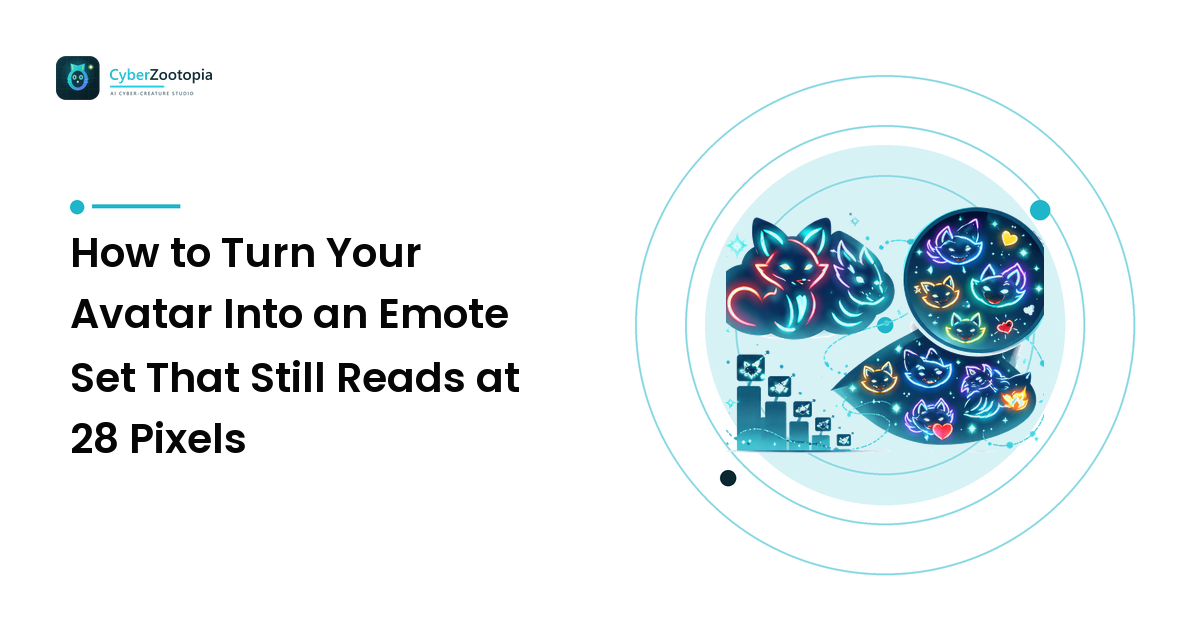
Your avatar is gorgeous. Neon rim light, holographic scales, a glow that bleeds beautifully into the dark. You export it as an emote, upload it, and in chat it becomes a small teal smudge that could be a fox, could be a traffic cone, nobody knows.
Here is the fix, up front: an emote is not a shrunken avatar — it is a redraw. The 112px version is a different piece of art from the 28px version, and the reason your glow turns to soup is that a glow is soft edges, and soft edges are the first thing a 28-pixel canvas throws away. The whole craft is deciding what survives, and then hand-tuning the small sizes so it does.
The sizes you actually have to hit
Get these right first, because uploading is where most people discover the problem.
Twitch emotes want three square PNGs with transparent backgrounds: 112×112, 56×56, and 28×28. Each file must stay under 1MB. Animated emotes use the same three sizes as GIFs, with a frame cap and the same 1MB ceiling — so animation buys you movement and costs you resolution headroom. Emote names are alphanumeric and short, and once you are an Affiliate or Partner your emotes sit behind a channel prefix, so the readable part of the name is shorter than you think.
Sub badges are a different set again: 72×72, 36×36, and 18×18. Eighteen pixels. That is not a character, that is a shape with two colors. Plan badges as icons — a paw print, a horn, a single glowing eye — never as a whole creature.
Discord emoji cap at 256KB per file, and 128×128 is the sensible upload size. Discord renders them larger than Twitch does in some places and tiny in reactions, so the same legibility rules apply. Servers get a base set of slots and more with boosts, which means Discord is where you can afford to be playful with a wider set.
YouTube membership emoji want a larger square upload — check the current spec in your creator dashboard, because it has changed more than once and the uploader will reject a wrong file immediately.
The number that governs everything is 28. Design for 28, check at 112, not the other way round.
The six emotes to make first
Do not start with fifteen ideas. Start with the six that get used every single stream, in the order chat actually needs them:
- Hype / cheer — the celebration reaction. Arms up, eyes wide, glow cranked. This will be your most-used emote by a wide margin.
- Laugh — the response to literally everything. Give it a distinct silhouette from hype, or the two blur together at small sizes.
- Sad / pleading — big eyes, drooped ears or fins. The one chat spams when you die in-game.
- Love / heart — creature plus a heart shape. The heart carries the meaning at 28px, so make it big and put it in the negative space beside the head, never overlapping the face.
- Rage / pout — angry expression, sharp angular glow. Reads as intent even when it reads as nothing else.
- Confused / thinking — head tilt plus a question mark or a single raised brow.
That set covers roughly every emotional beat a chat has. Once it is live, watch which one gets spammed and build the next batch around it — chat will tell you what your channel's personality actually is faster than you can guess it.
The redraw rules for a glowing creature
Neon characters have one specific problem at small sizes: glow is contrast without shape. It looks like light on a big canvas and like fog on a small one. Five rules fix nearly all of it.
1. Crop to the head, hard. Full-body emotes fail. At 28px a whole creature is about nine pixels of head, which is where all the expression lives. Crop so the head and shoulders fill the frame edge to edge. Chat is not admiring your character's pose; it is reading a face.
2. Build a solid core, then add glow as accent. The character needs an opaque, high-contrast core shape that survives on its own with every glow layer switched off. Test this literally: hide the glow layers. If the emote is still readable, you are fine. If it disappears, your character is the glow, and it will not survive the downscale.
3. Outline it. A dark or high-contrast outline around the silhouette is what separates your creature from the chat background. And here is the part people miss — Twitch has both a light and a dark theme. An emote with a soft dark glow vanishes on a dark background; a pale one vanishes on light. Check both. A contrasting outline is the cheapest insurance against half your audience seeing a blob.
4. Exaggerate past the point of comfort. Whatever expression reads as "happy" on your avatar, push it maybe 40% further for the emote. Eyes larger, mouth wider, ears more extreme. At 112px it will look cartoonish. At 28px it will look like an emotion. Every subtle expression becomes a neutral one when it is small.
5. Kill the detail. Scale patterns, circuit lines, tiny neon filaments, gradient meshes — none of it survives. Anything thinner than roughly two pixels at your smallest size is noise that will alias into a gray fringe. Delete it and let the silhouette do the work. This is the same discipline behind a profile picture that reads in a sidebar; the avatar design fundamentals apply here, only harder.
Text on emotes
Short answer: mostly don't. At 28px you have room for perhaps two or three chunky letters — "GG", "?", "!" — and only if they are set in a heavy face with an outline and given real space. Full words are unreadable and just eat pixels the face needed.
The exception is that Twitch's 112px version does get shown at larger sizes in some surfaces, so a word can work there. If you go that route, hand-make the 28px variant without the text rather than letting it downscale into a smear.
Exporting without wrecking it
The thing that ruins more emote sets than any design decision: exporting all three sizes with one automatic downscale.
Do it this way instead.
- Work large — build at 512×512 or bigger so you have room to draw.
- Export 112 first, then look at it at 100% zoom, not fitted to your screen. Fix what broke.
- Downscale to 56, then manually repair it: thicken the outline, boost the contrast between the character and its background, simplify anything that has gone mushy.
- Downscale to 28 and repair again, more aggressively. You will often be nudging individual pixels around the eyes. This step is the whole difference between a set that reads and a set that doesn't.
- Check the alpha edges. Semi-transparent glow pixels at the boundary can render as a dirty halo depending on the background. Consider hardening the outer edge of the glow rather than letting it fade to zero.
- Confirm file weight — under 1MB for Twitch, under 256KB for Discord. Static PNGs are rarely a problem; animated GIFs frequently are, and the fix is fewer colors and fewer frames, not more compression.
If you are also producing banners, panels, and stickers from the same character, our guide to exports and crops that don't break covers the wider file set.
Keeping the set consistent
Six emotes drawn on six different days look like six different characters. Lock these before you start the second one:
- One palette. Same neon hues, same core body color, across every emote. Save the swatches.
- One line weight, measured at 112px, applied to all of them.
- One head shape and one eye style. Expression changes; anatomy does not.
- One framing. Same crop distance and roughly the same head position in the square, so the set feels like a family in the emote picker.
That consistency is what makes an emote set feel like a brand instead of a folder of drawings — the same principle behind a coherent channel visual identity.
And say it plainly if your character is AI-generated. It is a normal thing to make art with, viewers ask, and answering honestly in a panel or a pinned message costs you nothing and settles the question permanently.
FAQ
How many emotes do I need to start? Six well-made ones beat fifteen rushed ones. Your available slots grow with your subscriber tier anyway, so there is no rush — and the first six teach you what the next six should be.
Should my emotes be animated? Not for your first set. Animation multiplies the work, fights the file-size limit, and a static emote that reads instantly beats a moving one that doesn't. Add animation later for your one signature emote.
Can I reuse the same art on Twitch and Discord? Yes, and you should — recognition is the point. Just export separate files at each platform's spec rather than reuploading a Twitch PNG to Discord and hoping.
My emote looks fine on my monitor but bad in chat. Why? You are almost certainly viewing it zoomed. Open it at 100% at 28px, on both a light and a dark background, before you judge it. That is the size your audience sees.
Can I make emotes of a character I don't own? No. Emotes of someone else's copyrighted character are a takedown waiting to happen. Original creatures only — which is also the entire reason to have your own.
Great emotes start with a character that was built to survive being small: strong silhouette, solid core, glow as accent rather than substance. See what Cyber Zootopia is building for neon creature avatars and mascots — then redraw your six.